注意
前往末尾下载完整的示例代码。
超参数优化分析的快速可视化
Optuna 在 optuna.visualization 中提供了多种可视化功能,用于直观地分析优化结果。
请注意,本教程需要安装 Plotly
$ pip install plotly

# Required if you are running this tutorial in Jupyter Notebook.
$ pip install nbformat
如果您更喜欢使用 Matplotlib 而不是 Plotly,请运行以下命令
$ pip install matplotlib
本教程通过可视化 PyTorch 模型在 FashionMNIST 数据集上的优化结果,引导您了解此模块。
对于多目标优化的可视化(即 optuna.visualization.plot_pareto_front() 的使用),请参考 使用 Optuna 进行多目标优化 的教程。
注意
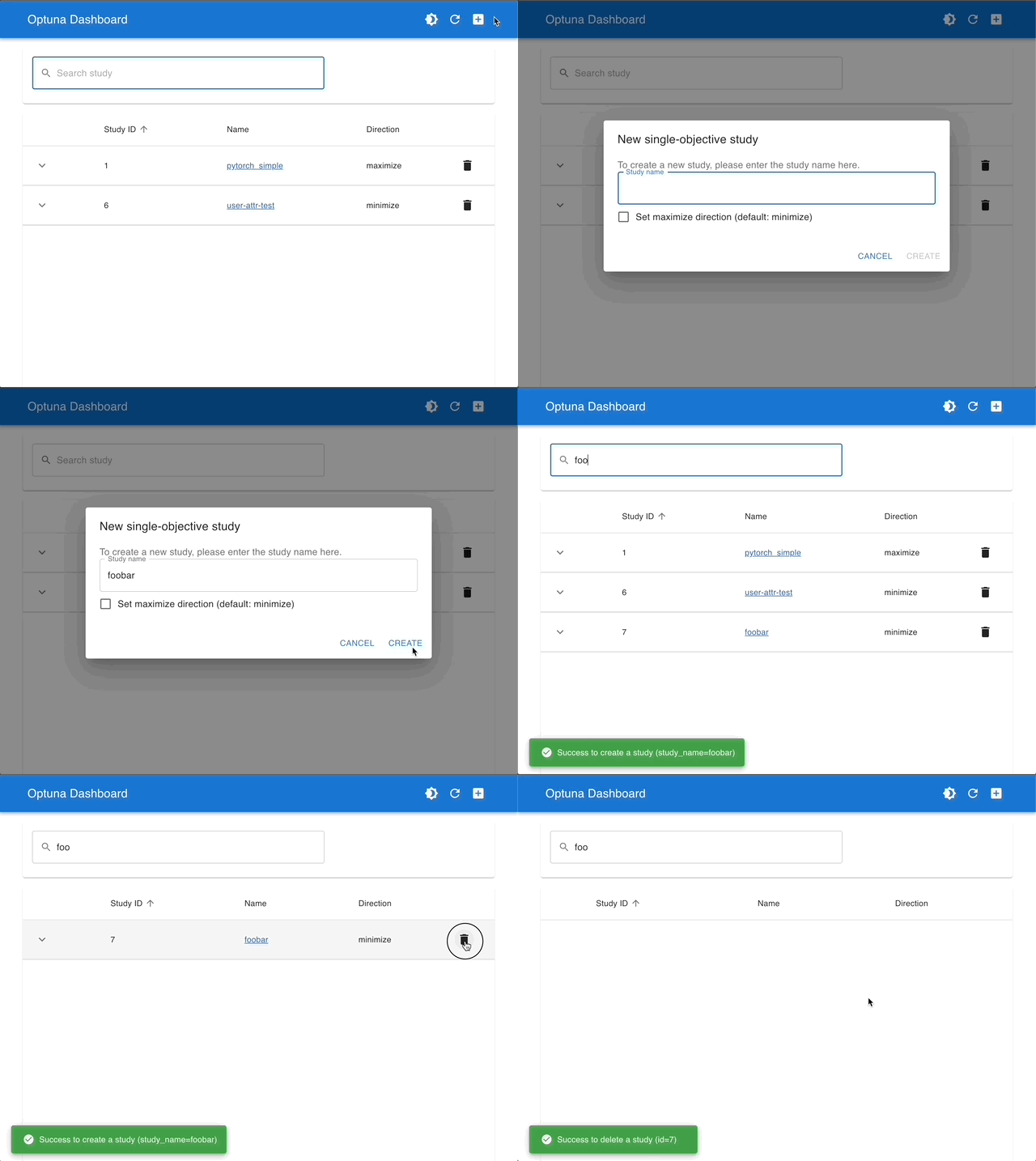
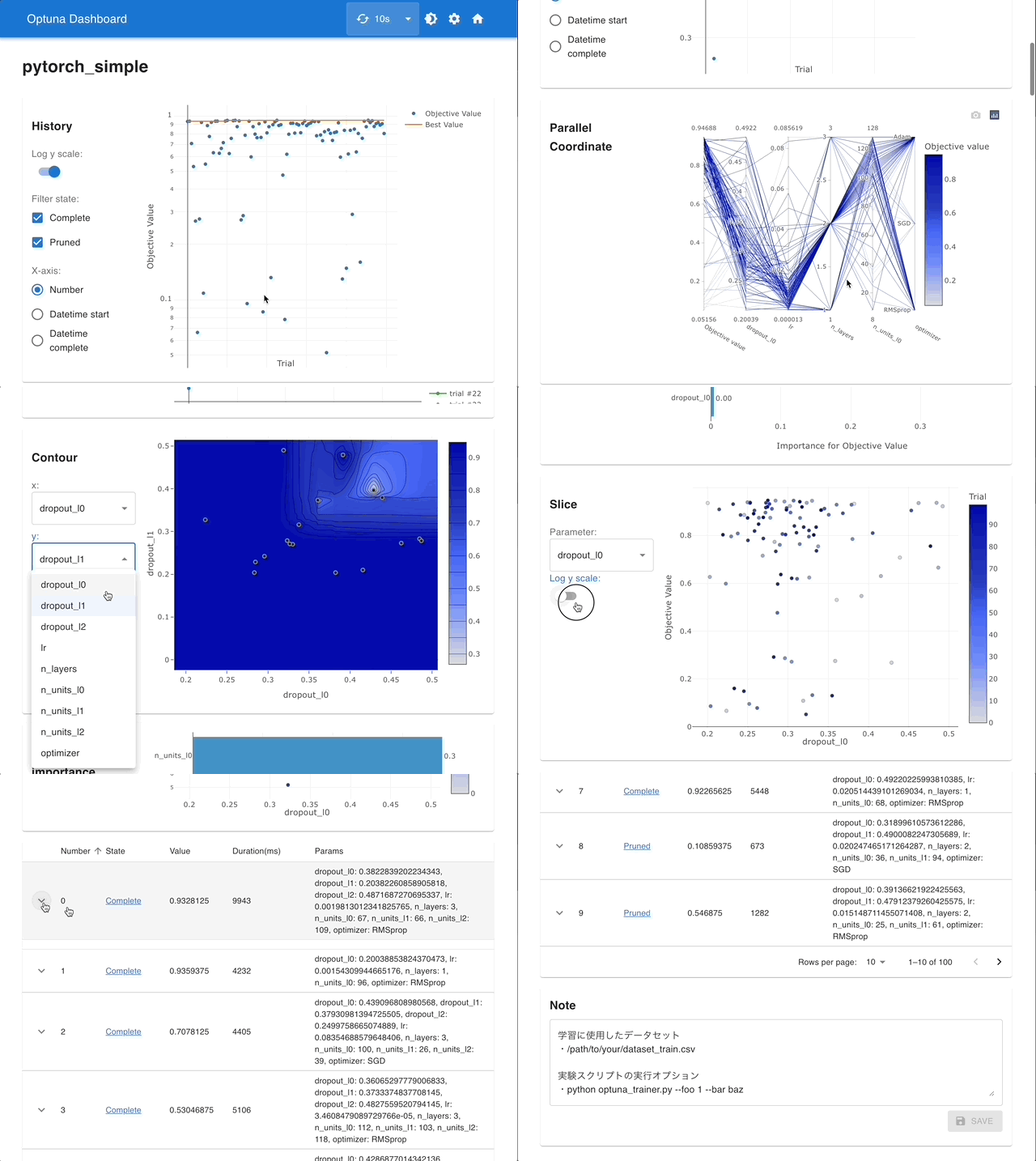
通过使用 Optuna Dashboard,您还可以在图表和表格中查看优化历史、超参数重要性、超参数关系等。请使用 RDB 后端 使您的 Study 持久化,并执行以下命令来运行 Optuna Dashboard。
$ pip install optuna-dashboard
$ optuna-dashboard sqlite:///example-study.db
请查看 GitHub 仓库 获取更多详细信息。
管理 Studies |
使用交互式图表进行可视化 |
|---|---|
|
|
import torch
import torch.nn as nn
import torch.nn.functional as F
import torchvision


import optuna

# You can use Matplotlib instead of Plotly for visualization by simply replacing `optuna.visualization` with
# `optuna.visualization.matplotlib` in the following examples.
from optuna.visualization import plot_contour
from optuna.visualization import plot_edf
from optuna.visualization import plot_intermediate_values
from optuna.visualization import plot_optimization_history
from optuna.visualization import plot_parallel_coordinate
from optuna.visualization import plot_param_importances
from optuna.visualization import plot_rank
from optuna.visualization import plot_slice
from optuna.visualization import plot_timeline


SEED = 13
torch.manual_seed(SEED)

DEVICE = torch.device("cuda") if torch.cuda.is_available() else torch.device("cpu")
DIR = ".."
BATCHSIZE = 128
N_TRAIN_EXAMPLES = BATCHSIZE * 30
N_VALID_EXAMPLES = BATCHSIZE * 10


def define_model(trial):
    n_layers = trial.suggest_int("n_layers", 1, 2)
    layers = []

    in_features = 28 * 28
    for i in range(n_layers):
        out_features = trial.suggest_int("n_units_l{}".format(i), 64, 512)
        layers.append(nn.Linear(in_features, out_features))
        layers.append(nn.ReLU())

        in_features = out_features

    layers.append(nn.Linear(in_features, 10))
    layers.append(nn.LogSoftmax(dim=1))

    return nn.Sequential(*layers)


# Defines training and evaluation.
def train_model(model, optimizer, train_loader):
    model.train()
    for batch_idx, (data, target) in enumerate(train_loader):
        data, target = data.view(-1, 28 * 28).to(DEVICE), target.to(DEVICE)
        optimizer.zero_grad()
        F.nll_loss(model(data), target).backward()
        optimizer.step()


def eval_model(model, valid_loader):
    model.eval()
    correct = 0
    with torch.no_grad():
        for batch_idx, (data, target) in enumerate(valid_loader):
            data, target = data.view(-1, 28 * 28).to(DEVICE), target.to(DEVICE)
            pred = model(data).argmax(dim=1, keepdim=True)
            correct += pred.eq(target.view_as(pred)).sum().item()

    accuracy = correct / N_VALID_EXAMPLES

    return accuracy
定义目标函数。
def objective(trial):
    train_dataset = torchvision.datasets.FashionMNIST(
        DIR, train=True, download=True, transform=torchvision.transforms.ToTensor()
    )
    train_loader = torch.utils.data.DataLoader(
        torch.utils.data.Subset(train_dataset, list(range(N_TRAIN_EXAMPLES))),
        batch_size=BATCHSIZE,
        shuffle=True,
    )

    val_dataset = torchvision.datasets.FashionMNIST(
        DIR, train=False, transform=torchvision.transforms.ToTensor()
    )
    val_loader = torch.utils.data.DataLoader(
        torch.utils.data.Subset(val_dataset, list(range(N_VALID_EXAMPLES))),
        batch_size=BATCHSIZE,
        shuffle=True,
    )
    model = define_model(trial).to(DEVICE)

    optimizer = torch.optim.Adam(
        model.parameters(), trial.suggest_float("lr", 1e-5, 1e-1, log=True)
    )

    for epoch in range(10):
        train_model(model, optimizer, train_loader)

        val_accuracy = eval_model(model, val_loader)
        trial.report(val_accuracy, epoch)

        if trial.should_prune():
            raise optuna.exceptions.TrialPruned()

    return val_accuracy
study = optuna.create_study(
    direction="maximize",
    sampler=optuna.samplers.TPESampler(seed=SEED),
    pruner=optuna.pruners.MedianPruner(),
)
study.optimize(objective, n_trials=30, timeout=300)
  0%|          | 0.00/26.4M [00:00<?, ?B/s]
  0%|          | 32.8k/26.4M [00:00<01:22, 320kB/s]
  0%|          | 65.5k/26.4M [00:00<01:22, 319kB/s]
  0%|          | 131k/26.4M [00:00<00:56, 464kB/s]
  1%|          | 229k/26.4M [00:00<00:39, 658kB/s]
  2%|▏         | 459k/26.4M [00:00<00:21, 1.22MB/s]
  4%|▎         | 950k/26.4M [00:00<00:10, 2.43MB/s]
  7%|▋         | 1.87M/26.4M [00:00<00:05, 4.54MB/s]
 14%|█▍        | 3.74M/26.4M [00:00<00:02, 8.88MB/s]
 28%|██▊       | 7.50M/26.4M [00:00<00:01, 17.5MB/s]
 42%|████▏     | 11.2M/26.4M [00:01<00:00, 22.8MB/s]
 57%|█████▋    | 15.1M/26.4M [00:01<00:00, 27.2MB/s]
 72%|███████▏  | 19.1M/26.4M [00:01<00:00, 30.5MB/s]
 84%|████████▎ | 22.1M/26.4M [00:01<00:00, 29.8MB/s]
 98%|█████████▊| 25.9M/26.4M [00:01<00:00, 31.8MB/s]
100%|██████████| 26.4M/26.4M [00:01<00:00, 18.1MB/s]

  0%|          | 0.00/29.5k [00:00<?, ?B/s]
100%|██████████| 29.5k/29.5k [00:00<00:00, 298kB/s]

  0%|          | 0.00/4.42M [00:00<?, ?B/s]
  1%|          | 32.8k/4.42M [00:00<00:13, 327kB/s]
  1%|▏         | 65.5k/4.42M [00:00<00:13, 326kB/s]
  3%|▎         | 131k/4.42M [00:00<00:09, 474kB/s]
  6%|▌         | 262k/4.42M [00:00<00:05, 800kB/s]
 11%|█         | 492k/4.42M [00:00<00:02, 1.33MB/s]
 22%|██▏       | 983k/4.42M [00:00<00:01, 2.54MB/s]
 44%|████▎     | 1.93M/4.42M [00:00<00:00, 4.79MB/s]
 88%|████████▊ | 3.90M/4.42M [00:00<00:00, 9.48MB/s]
100%|██████████| 4.42M/4.42M [00:00<00:00, 5.48MB/s]

  0%|          | 0.00/5.15k [00:00<?, ?B/s]
100%|██████████| 5.15k/5.15k [00:00<00:00, 43.9MB/s]
绘图函数
可视化优化历史。详见 plot_optimization_history()。
plot_optimization_history(study)
可视化 Trials 的学习曲线。详见 plot_intermediate_values()。
plot_intermediate_values(study)
可视化高维参数关系。详见 plot_parallel_coordinate()。
plot_parallel_coordinate(study)
选择要可视化的参数。
plot_parallel_coordinate(study, params=["lr", "n_layers"])
可视化超参数关系。详见 plot_contour()。
plot_contour(study)
选择要可视化的参数。
plot_contour(study, params=["lr", "n_layers"])
将单个超参数可视化为切片图。详见 plot_slice()。
plot_slice(study)
选择要可视化的参数。
plot_slice(study, params=["lr", "n_layers"])
可视化参数重要性。详见 plot_param_importances()。
plot_param_importances(study)
通过超参数重要性了解哪些超参数正在影响 Trial 的持续时间。
optuna.visualization.plot_param_importances(
    study, target=lambda t: t.duration.total_seconds(), target_name="duration"
)
可视化经验分布函数。详见 plot_edf()。
plot_edf(study)
使用按目标值着色的散点图可视化参数关系。详见 plot_rank()。
plot_rank(study)
可视化已执行 Trials 的优化时间线。详见 plot_timeline()。
plot_timeline(study)
自定义生成的图表
在 optuna.visualization 和 optuna.visualization.matplotlib 中,函数返回一个可编辑的图表对象:plotly.graph_objects.Figure 或 matplotlib.axes.Axes,具体取决于模块。这允许用户使用可视化库的 API 根据自己的需求修改生成的图表。以下示例手动替换了 Plotly-based 的 plot_intermediate_values() 绘制的图表标题。
fig = plot_intermediate_values(study)

fig.update_layout(
    title="Hyperparameter optimization for FashionMNIST classification",
    xaxis_title="Epoch",
    yaxis_title="Validation Accuracy",
)
脚本总运行时间: (1 分 34.877 秒)